FpsSoloGameMinimal MonoBehaviour
Overview
The minimal game setup is intended for testing and development purposes. It simply spawns the specifed player and character, and can be set to perform various actions on the player character's death.
Inspector
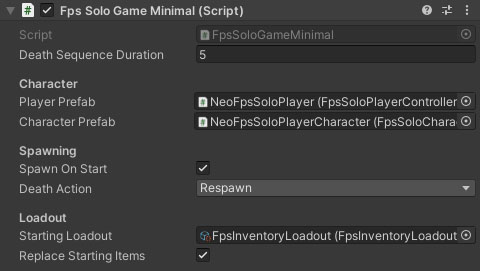
Properties
| Name | Type | Description |
|---|---|---|
| Death Sequence Duration | Float | The time in seconds between the player character dying and respawning. |
| Player Prefab | FpsSoloPlayerController | The player prefab to spawn if no player exists (players are persistant). |
| Character Prefab | FpsSoloCharacter | The character prefab to spawn. |
| Spawn On Start | Boolean | Should the game mode automatically spawn a player character immediately on start. |
| Death Action | Dropdown | What to do if the player character is killed. Available options are:
|
| Starting Loadout | FpsInventoryLoadout | An optional inventory loadout for the character on spawn (this will replace their starting items). |
| Replace Starting Items | Boolean | How should the loadout be applied to the character. Should it replace the character's starting items or be added alongside them. |