FpsAudioSettings ScriptableObject
Overview
The FpsAudioSettings asset specifies the default audio settings and loads / saves them to a .settings file on disk for player editing.
The Delete User Settings button is used to delete the settings file that was generated by running the game. If the settings file exists then it will override the settings specified in this asset, so this can be useful if you have changed or added default settings.
Inspector
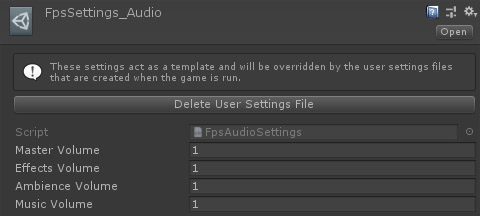
Properties
| Name | Type | Description |
|---|---|---|
| Master Volume | Float | The overall game volume. |
| Effects Volume | Float | The volume for in game effects. |
| Ambience Volume | Float | The volume for ambience effects. |
| Music Volume | Float | The volume for music. |