FpsGameplaySettings ScriptableObject
Overview
The FpsGameplaySettings asset specifies the default gameplay settings and loads / saves them to a .settings file on disk for player editing.
Inspector
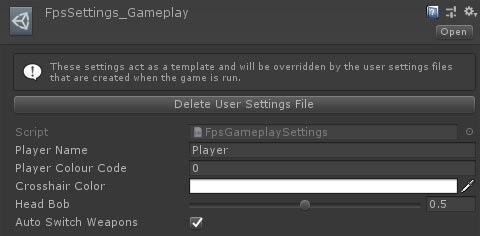
The Delete User Settings button is used to delete the settings file that was generated by running the game. If the settings file exists then it will override the settings specified in this asset, so this can be useful if you have changed or added default settings.
Properties
| Name | Type | Description |
|---|---|---|
| Player Name | String | The default player name. |
| Player Colour Code | Int | The default player colour. |
| Crosshair Colour | Color | The default crosshair colour. |
| Head Bob | Float | The ratio of head vs item bob. Head bob looks more natural when close to scenery, but some people can find it uncomfortable. |
| Auto Switch Weapons | Boolean | Should the player character automatically switch to a better weapon when picking it up. |