BodyLean MonoBehaviour
Overview
The BodyLean behaviour is used to lean the character body to either side.
Inspector
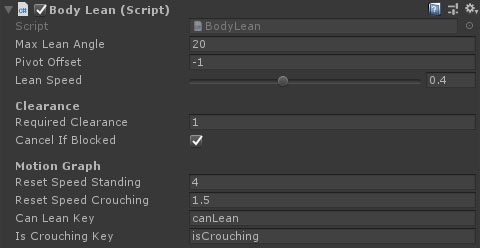
Properties
| Name | Type | Description |
|---|---|---|
| Max Lean Angle | Float | The angle to lean to either side when lean power is set to 1 or -1. |
| Pivot Offset | Float | The downward offset for the pivot point from the transform origin. |
| Lean Speed | Float | The speed of transitioning from 1 lean value to another. 1 is nearly instant. |
| Weapon Tilt | Float | How much of the lean rotation is reflected in the weapon. |
| Head Counter Tilt | Float | A counter rotation of the head compared to the weapon. |
| Required Clearance | Float | The distance to check from the center line for clearance space to lean. The lean amount will be capped based on the result. |
| Cancel If Blocked | Boolean | If there is no clearance space then return the lean amount to 0 until manually re-applied. |
| Reset Speed Standing | Float | The maximum speed the character can travel before the lean is cancelled. (0 = no max speed). |
| Reset Speed Crouching | Float | The maximum speed the character can travel before the lean is cancelled. (0 = no max speed). |
| Can Lean Key | String | The key to a motion graph switch parameter that dictates if the character can lean or not. |
| Is Crouching Key | String | The key to a motion graph switch parameter that dictates if the character is crouching or standing. |