Additive Transforms and Effects
Overview
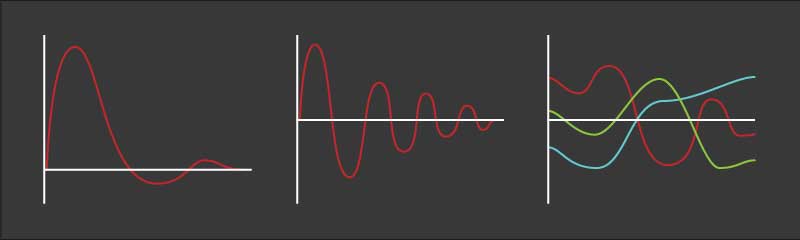
NeoFPS uses a system called additive transforms to manage camera and object transform effects such as recoil and shake. In order to make use of additive transforms, the AdditiveTransformHandler is added to an object and then various additive effects are attached to it. It is very simple to write custom additive effects, but a number of useful effects are included with NeoFPS including:
| Name | Description | Use |
|---|---|---|
| AdditiveKicker | A simple knock and spring return. Triggered by the CharacterEventKickTrigger and ImpactHandlerKickTrigger. | Any |
| AdditiveJiggle | A simple rotation around the z-axis with a bouncy spring return. | Any |
| BodyLean | Lean to either side | Body |
| BodyTilt | Tilt the body in an arbitrary direction | Body |
| BreathingEffect | Applies a breathing motion to the selected weapon. | Weapon |
| CameraShake | Apply continuous and one-off shakes to the camera. | Camera |
| CharacterMovementSway | A position and rotation offset applied to the weapon based on character velocity. | Weapon |
| CharacterRecoilEffect | Applies recoil spring animation to the character. Driven by a BetterSpringRecoilHandler firearm module. | Body |
| HeadBob | (Deprecated) Position bob using curves | Camera |
| HeadBobV2 | An enhanced head bob with more control over animation curves, aim compensation, and in-game strength settings. | Body |
| HeadDuck | A simple lowering of the head used for charged jumps | Camera |
| FirearmRecoilEffect | Applies recoil spring animation to a modular firearm. Driven by a BetterSpringRecoilHandler firearm module. | Weapon |
| OverShoulder | Rotate the head to look backwards, while leaving the weapon and body pointing forwards. | Camera |
| PeekVertical | Peek over or under obstacles by moving the head up or down. | Camera |
| PositionBob | Position bob using curves. Syncs and blends bob between head and weapon based on player settings by sharing bob settings with a PositionBobData scriptable object. | Camera And Weapon |
| ProceduralSpineLean | Similar to the BodyLean effect, but instead of rotating the upper body based on a lowered pivot, it applies rotations to the character spine procedurally via its ProceduralSpineAimMatcher. | Body |
| RotationBob | Rotation bob using curves. | Weapon |
| TransformMatcher | Matches the offset of one transform relative to another. Used to blend keyframe animation in with procedural effects. | Camera |
| WeaponAimAmplifier | Multiplies the movement of the camera back onto the held weapon to add weight and momentum. | Weapon |
| WeaponBob | (Deprecated) A bob effect for weapons, similar to the head bob but with rotation too. | Weapon |
| WeaponMomentumSway | Similar to the WeaponAimAmplifier, but changes the position instead of the rotation. | Weapon |
The AdditiveTransformHandler will check each of the effects every tick (the update frequency can be set in the component properties) and then layer them on top of each other in order to create a combined offset. Translation and rotation are handled separately, meaning that the rotation offset of an effect will not alter the position offset of another effect further along the chain. This makes the outcome more predictable when a number of effects are applied at once.
You can also specify a pivot point for the resulting transform if desired.
Footstep driven animation such as head or weapon bob is driven through a step tracking system attached to the character's motion controller. This ensures that any animations like this sync up, are only active while in the correct movement state, and are correctly driven by the character's velocity. The character's stride length (and therefore bob speed while moving) is controlled by adding a TrackSteps motion graph behaviour to the relevant states or sub-graphs in your character's motion graph.