Explosions
Overview
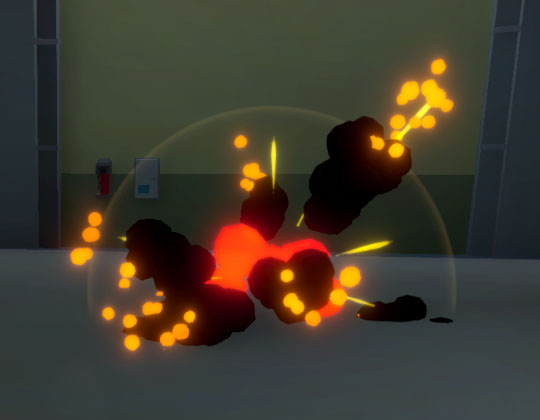
NeoFPS has a simple system for spawning explosions that deal damage and repel physics objects based on their distance from the explosion center.
The sample explosions are built from a series of particle effects, though you can turn any object into an explosion by adding a PooledExplosion behaviour.
An explosion can be assigned a source and a damage filter for complex damage effects. For more information, see Health and Damage.
To spawn an explosion from a script, first you need to grab an explosion from the pool manager:
var explosion = GetPooledObject<PooledExplosion> (prototype, position, rotation);
To apply damage, call the Explode() method on the pooled explosion:
explosion.Explode(damage, maxForce, sourceController, transformToIgnore);
There are a number of scripts already available to work with explosions, such as:
| Name | Description |
|---|---|
| PooledExplosionSpawner | Simply spawns an explosion on command. Connect it to events to control execution. |
| ExplosiveObject | Represents a destructible object that spawns an explosion when killed. |
| PooledExplosionAmmoEffect | A firearm module that spawns an explosion when shooting something. |
Explosive Barrels
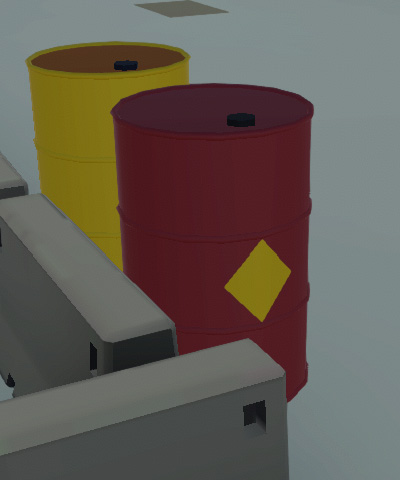
Explosive barrels can be implemented using the above ExplosiveObject behaviour. This allows you to set a health amount for the barrel, specify a PooledExplosion to spawn once health reaches zero, and specify explosion damage and forces. A Unity event is also provided which you can use for actions like spawning debris objects.
An example can be found in the Demo Facility sample scene, and is available as a prefab at Assets\NeoFPS\Samples\Shared\Prefabs\Props\Prop_Barrel01.prefab.