Motion Graph Swimming
Overview
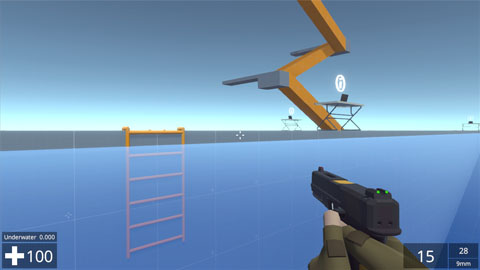
Swimming in NeoFPS is broken down into 3 sets of states: surface, underwater, and wading. The motion graph has the flexibility to craft a range of swimming movement styles using any of those states, while controlling things like capsule height and camera effects using the various graph behaviours.
Water Zones
Water zones are used in the scene to define a volume that the character can swim in. The BasicWaterZone behaviour is placed on an object with a trigger box collider and will notify any character that enters it.
The water zone provides the motion graph with details of the water surface height and normal, as well as the flow velocity, at a specific point.
The BasicWaterZone simply returns the top face of the attached box collider, along with a constant flow vector. More complex water zone behaviours can be created by inheriting from the IWaterZone interface. This requires the following methods:
Vector3 FlowAtPosition(Vector3 position);
WaterSurfaceInfo SurfaceInfoAtPosition(Vector3 position);
Surface Swimming
The surface swimming states will try to keep the character's head at a certain height above the water surface. If the surface level rises too fast, or the character is already moving up/down too quickly, then the head can breach the water's surface. In this case, you can use the Water MotionGraphCondition to check the submerged depth of the character and transition into an underwater state.
The available surface swimming states are:
- SwimSmoothSurfaceState which moves smoothly along the water surface
- SwimStrokeSurfaceState which moves in pulses to simulate swimmming strokes. The pulse frequency is based on movement direction.
Underwater Swimming
The underwater swimming states move in the direction of the character's aim (including pitch), while jump and crouch are used to move straight up and down.
The available underwater swimming states are:
- SwimSmoothUnderwaterState which moves smoothly
- SwimStrokeUnderwaterState which moves in pulses to simulate swimmming strokes. The pulse frequency is based on movement direction, while jump/crouch driven movement is smooth.
Wading
The Wading state is a variation of the Movement state which is used for walking and swimming. It changes the target speed based on how much of the character is below the water surface.
Drowning
Drowning can be implemented simply by recording the time spend in underwater states in a float parameter on the graph and acting based on its value. The DrowningMotionGraphWatcher monobehaviour is attached to the character and applies damage once a parameter reaches a certain value and at set increments therafter.
Future Development
The current implementation of swimming in NeoFPS should be considered version 1. Version 2 will extend this with extra features and behaviour such as:
- Swimming hand animations
- Options to prevent shooting while underwater
- Audio effects
- Waves
- Better underwater visuals and post-processing
- Bouyancy and bouyant objects
- Better handling of multiple overlapping water zones