Doors and Locks
Overview
NeoFPS includes a number of example doors. Each of which can be opened and closed using either trigger zones or interactive objects.
Kinematic Hinge Doors
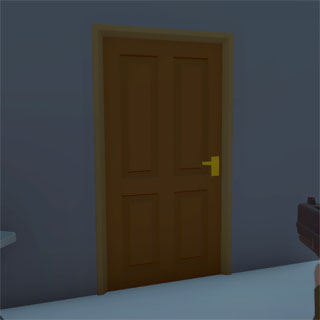
These are swing doors that use simple procedural animation to open or close. They use an optional double hinge system to allow for opening in both directions without overlapping into the frame.
Kinematic doors will push the player back and do not react to physics in the scene.
For more information see the KinematicHingeDoor reference.
Physics Hinge Doors
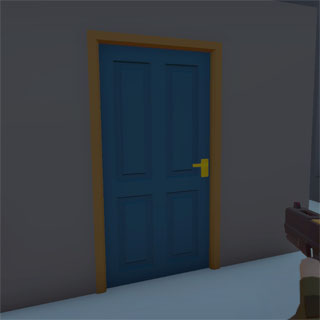
These are swing doors that use a Unity HingeJoint to drive the door's animation. These doors react physically to the environment and to player actions.
Physics hinge doors can only open in one direction and will automatically latch when closed.
For more information see the PhysicsHingeDoor reference.
Sliding Doors
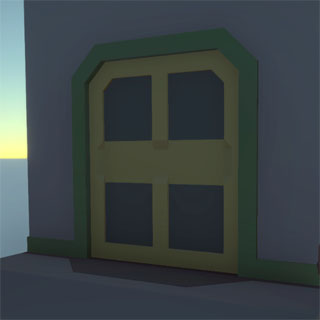
Sliding doors involve one or more sliding components and are animated procedurally.
For more information see the SlidingDoor reference.
Elevators Doors
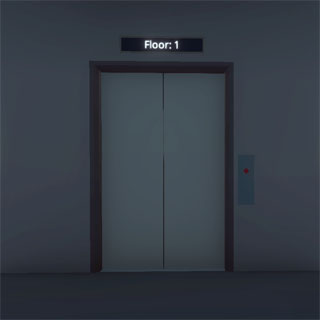
Elevators are a complex system of interactive objects, moving platforms and sliding doors. The elevator cab moves up and down between floors. Only the doors for the floor the cab is currently on can open and only when the cab has stopped moving. The cab inner door sections are shared with each of the outer doors, making them sync up as any of those are opened.
For more information see the ElevatorController reference.
Locked Doors
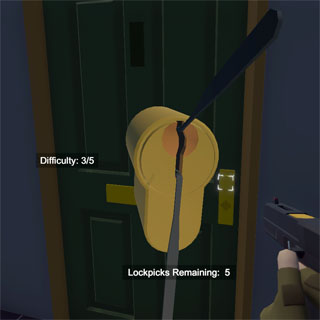
NeoFPS also features a system for locking and unlocking doors. The majority of locks rely on the keyring system. The KeyRing is an inventory object which tracks the key IDs that a character knows. This can include keycodes for entering into keypads, as well as keys for physical locks. Picking up a keyring will merge the contents with the one in the character inventory.
When you set up a locked door, you specify a key ID. If no ID is set, then the door must be unlocked via an event or the scripting API. As an example, events can be used to unlock a door on destroying an object. This is how the destructible padlock demo is set up in the doors demo scene. The API is used by the lockpicking mini-game to unlock the door if the player has lockpicks in their inventory but does not have the door's key.
The following components are available for working with locks and locked doors:
| Name | Description |
|---|---|
| KeyRing | The keyring stores multiple key IDs. |
| LockedDoorInteractiveObject | A version of the door component that lets you specify a lock ID. |
| LockedDoorTrigger | A trigger zone that is used to open an attached door, but only if the character entering has a key with the correct ID. |
| LockedTriggerZone | A trigger zone that will fire events if a character with the correct key enters. |
| KeypadInteractiveObject | An interactive object that is attached to a locked door, and displays a UI based KeypadPopup when interacted with. Entering the correct code will unlock the door. |
| KeypadPopup | The UI based keypad popup that is shown by the KeypadInteractiveObject. |
| PickableLockedDoorInteractiveObject | A locked door that displays a lockpicking mini-game when interacted with if the character does not have the correct key to unlock it. |
| LockpickPopup3D | One implementation of the lockpicking mini-game that is used to unlock a locked door. |
| LockpickPopupUI | A UI overlay for the LockpickPopup3D mini-game that displays remaining pick count and lock difficulty. |