Motion Graph Behaviours
Overview
Motion graph behaviours add extra functionality to the graph. They can process logic on entering or exiting a state or sub-graph and/or when a state is updated. Certain behaviours can only be attached to states, and others can only be attached to sub-graphs, while most can be attached to both.
Motion graph behaviours allow for simple logic such as resetting or modifying parameters. They can also be complex systems on their own, such as the motion graph behaviour based footsteps.
Motion graph behaviours update at the same rate as the motion controller - in FixedUpdate. This should be kept in mind if creating new behaviours for your project.
Included Behaviours
Character Behaviours
Character behaviours act on components on the character object.
These include:
- BodyTiltBehaviour
- DrainStaminaBehaviour
- FootIkBehaviour
- ImpactDamageBehaviour
- LockInventorySelectionBehaviour
- ModifyStaminaBehaviour
- SetSteeringBehaviour
- SetWieldableStanceBehaviour
- SpineAimBehaviour
- TrackStepsBehaviour
- UnlockInventorySelectionBehaviour
Camera Behaviours
Camera behaviours apply effects or constraints to the character camera
These include:
- CameraJiggleSpringBehaviour
- CameraKickSpringBehaviour
- CameraPulseFovBehaviour
- CameraShakeBehaviour
- ConstrainCameraYawBehaviour
- ConstrainCameraPitchBehaviour
Graph Parameter Behaviours
Graph parameter behaviours act on motion graph parameters.
These include:
- ClampFloatParameterBehaviour
- ClampIntParameterBehaviour
- ModifyIntParameterBehaviour
- ModifyFloatParameterBehaviour
- ModifySwitchParameterBehaviour
- ModifyTriggerParameterBehaviour
- ModifyTransformParameterBehaviour
- ModifyVectorParameterBehaviour
- BlockSwitchParameterBehaviour
- BlockTriggerParameterBehaviour
- InvokeEventBehaviour
- TimeOpsBehaviour
Animation Behaviours
Animation behaviours interact with the character's animator component by setting animator controller parameters,
These include:
- AnimatorGroundSlopeBehaviour
- AnimatorInputVectorBehaviour
- AnimatorSpeedBehaviour
- AnimatorVelocityBehaviour
- SetAnimatorBoolBehaviour
- SetAnimatorFloatBehaviour
- SetAnimatorIntBehaviour
- SetAnimatorTriggerBehaviour
- SetRootMotionStrengthBehaviour
Audio Behaviours
Audio behaviours trigger audio in the scene and interact with the various audio systems.
These include:
- FootstepAudioBehaviour
- SlidingAudioBehaviour
- LadderAudioBehaviour
- LoopingAudioBehaviour
- PlayCharacterAudioBehaviour
- PlayAudioClipBehaviour
- SetAudioEffectStrengthBehaviour
- SurfaceAudioBehaviour
- SurfaceFootstepAudioBehaviour
- SwimStrokeAudioBehaviour
Physics Behaviours
Physics behaviours modify the character physics.
These include:
- AddForceBehaviour
- AlignWithVelocityBehaviour
- ConstrainCharacterHeadingBehaviour
- DisableColliderBehaviour
- ModifyCharacterVelocityBehaviour
- PassiveSlideBehaviour
- SetTargetHeightBehaviour
Miscellaneous Behaviours
Miscellaneous behaviours don't fall into the above categories.
These include:
In The Inspector
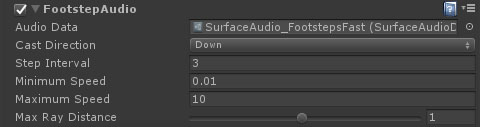
Editing behaviours is very straightforward. Each one will have its own unique properties, along with the following controls as highlighted in the above image:
- A checkmark to enable or disable the behaviour. Disabled behaviours will not be evaluated until enabled.
- The type of the behaviour. Click this to collapse or expand the behaviour and its properties.
- A link to the manual reference for the behaviour.
- A dropdown of actions for the behaviour including changing the order on the state or sub-graph, copy / pasting properties and removing.